Backend - Activities -> Relationship Manager
This section summarizes the flow of call activities occurring in EnQualify.
Relationship Manager
The diagram below shows the steps that a Relationship Manager (RM) call goes through from start to finish. The diagram depicts the flow through four actors: Mobile (customer), System (EnQualify system), Integration (integration services), and Agent (representative).
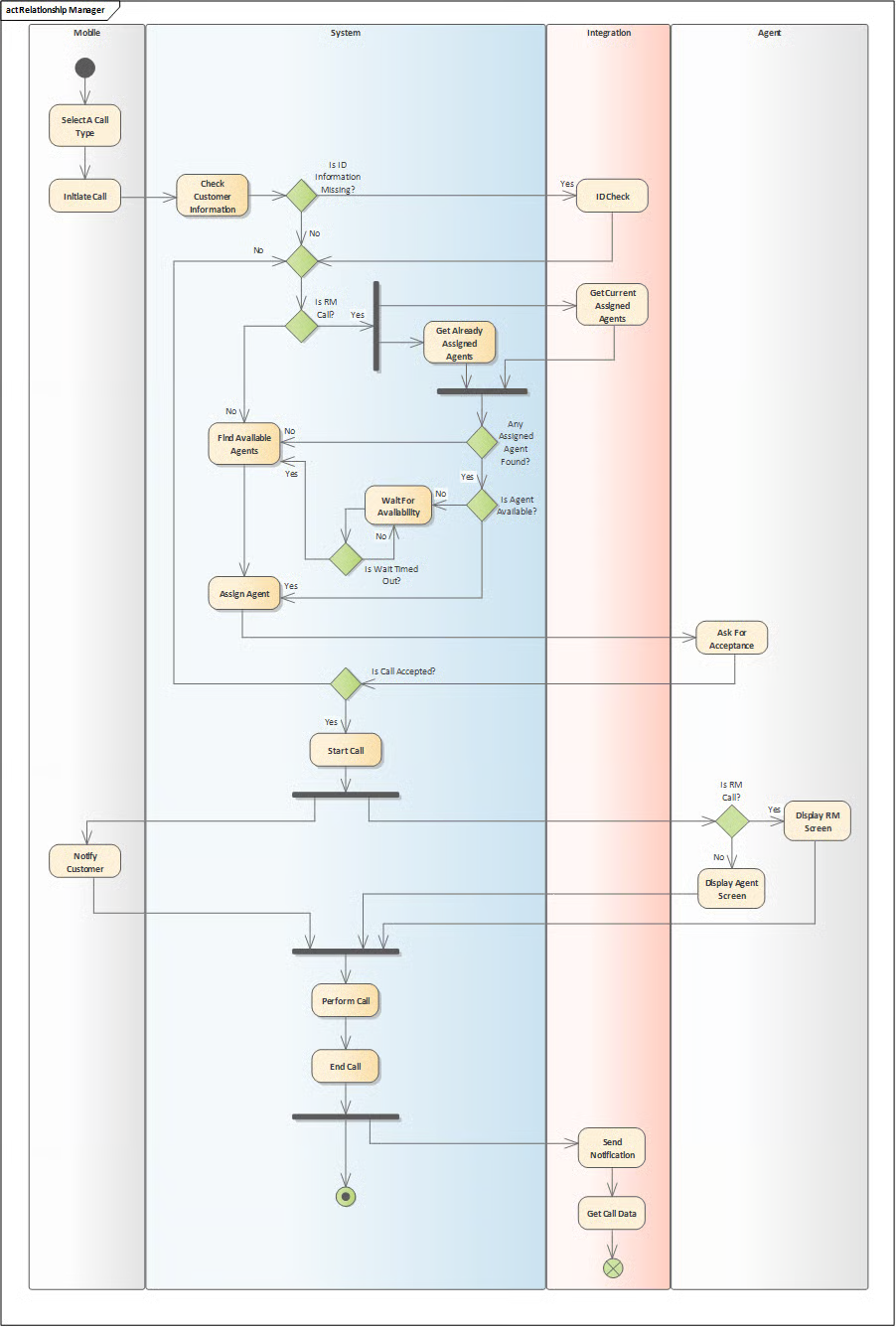
Flow Summary:
| Step | Actor | Description |
|---|---|---|
| 1 | Mobile | The customer selects a call type and initiates the call. |
| 2 | System | Customer information is checked. If credentials are missing, an IDCheck request is sent to Integration. |
| 3 | Integration | The customer's credentials are queried with IDCheck. |
| 4 | System | It is checked whether there is an RM call. If it is an RM call, previously assigned agents are queried; current assigned agents are retrieved from Integration. |
| 5 | System | If no assigned agent is found, suitable agents are searched for. If no suitable agent is available, it waits for availability; when the waiting time is up, the agent assignment process is terminated. |
| 6 | Agent | A call is assigned to the agent and they are requested to accept it. |
| 7 | System | If the call is accepted, it is initiated. If it is an RM call, the Agent sees the RM screen; otherwise, the standard Agent screen is displayed. |
| 8 | Mobile | The customer is informed. |
| 9 | System | The call is made and terminated. |
| 10 | Integration | When the call is completed, a notification (Send Notification) is sent and call data is retrieved (Get Call Data). |